Delayed Reimbursements? Automate Approvals for Faster Processing.

A few months ago, one of my team members came to me with a small, folded receipt in her hand. She smiled, but I could see she was tired. She said, "Yasir, I paid for the client lunch six weeks ago. Can you please check where my money is?"
Six weeks. For one lunch.
I opened my inbox and searched. I found her request. It was sitting under forty other emails, waiting for my approval. I had seen it once, thought "I'll do it later," and then completely forgot. Finance was waiting for me. She was waiting for finance. And the only thing moving was her frustration.
That day I felt something I did not like. I realized that the problem was not her, and it was not finance. The problem was our process. It depended on people remembering things, and people are busy. People forget.
If you have ever paid from your own pocket for work and then waited weeks to get it back, you know this feeling. And if you are a manager, you probably have a few of those requests sitting in your inbox right now.
In this article, I will explain why reimbursements get delayed, how approval automation fixes the problem, where AI makes the whole process smarter, and which tools can help. I will also share why I recommend ClickUp to the teams I coach at IT SARKAR.
Why Reimbursements Get Delayed
Most companies don't have a money problem when it comes to reimbursements. They have a flow problem. The money is there. The request is there. But nothing moves it from one step to the next.
Here is what usually goes wrong.
Requests Come In From Everywhere
One person sends a receipt on email. Another sends a photo in chat. Someone else fills a spreadsheet. A few people hand over paper slips. When requests arrive in five different ways, nobody knows how many are pending or where to find them.
Approvers Don't Know It's Their Turn
A manager gets a request but doesn't realize it needs action today. There is no reminder, no deadline, and no clear owner. So the request sits quietly until someone complains.
Missing Details Cause Back and Forth
The receipt is blurry. The amount is not written. The project name is missing. Finance sends it back, the employee fixes it, and the clock starts all over again. Each small mistake can add days.
No One Can See the Status
The employee doesn't know if their claim is approved, rejected, or lost. So they send follow up messages. The manager gets more emails. Finance gets more questions. Everyone spends time asking instead of doing.
Policy Rules Live in People's Heads
What is the meal limit? Does travel need two approvals? Who signs off above a certain amount? When these rules are not written into your workflows, every request becomes a judgment call, and judgment calls take time.
The Real Cost of Slow Reimbursements
It is easy to think a delayed reimbursement is "just admin." It is not.
It Hurts Employee Trust
When people wait weeks for their own money, they start to feel the company doesn't care. That small feeling grows. I have seen good employees stop paying for work expenses altogether, even when it would help the business. Paying people back on time is a big part of building trust with your team.
It Wastes Finance Time
Finance teams spend hours chasing approvals, fixing errors, and answering "where is my money?" messages. That is time they could spend on planning, forecasting, and real financial work.
It Creates Messy Books
When reimbursements pile up and get approved all at once at month end, your expense reports become unclear. It gets harder to see which project or department actually spent the money, and budget management turns into guesswork.
It Slows Down the Whole Team
When people hesitate to spend on travel, tools, or client meetings because they fear the payback delay, work slows down. A slow process quietly blocks good decisions.
What Is Approval Automation, Really?
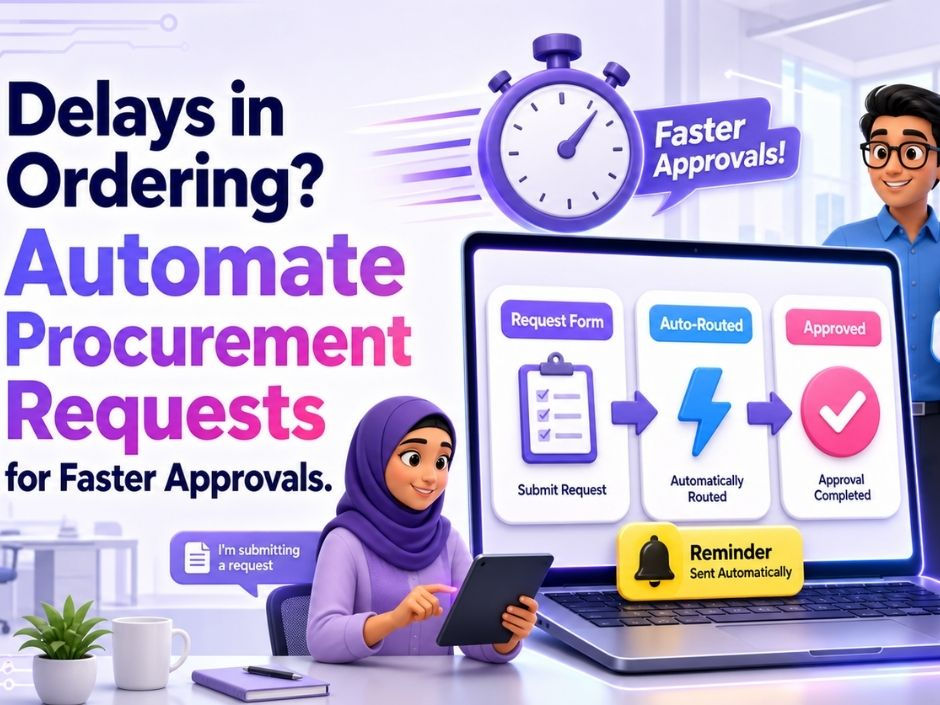
Let me keep this very simple. Approval automation is a simple form of process automation: you set up rules once, and the system moves each request forward on its own.
Think of it like a smart conveyor belt in a factory. You put the box on the belt, and it travels to the right station without anyone carrying it. Each station does its job, and the belt moves the box to the next one.
For reimbursements, an automated approval flow can:
Collect every request in one place, using one simple form
Check that required details like amount, date, and receipt are added
Send the request to the right manager automatically
Remind the approver if they don't act in time
Move approved claims to finance for payment
Notify the employee at every step, so they never have to ask
The human still makes the decision. The system just makes sure the request never gets lost on the way.
How Automated Approvals Speed Up Reimbursements

Every Request Starts the Same Way
When everyone submits through one form, the information is complete and consistent. No more hunting through chats and inboxes. Finance gets clean data from day one.
The Right Person Gets It Instantly
Rules can send travel claims to one approver and office supply claims to another. Big amounts can go to a senior manager. Nobody needs to forward anything by hand.
Reminders Do the Chasing for You
If a request sits too long, the system sends a gentle reminder through smart notifications. No awkward follow ups from employees. No guilt for the manager. Just a nudge at the right time.
Status Is Clear for Everyone
Employees can see exactly where their claim is: submitted, under review, approved, or paid. That one change alone removes most of the "any update?" messages.
Finance Works in Batches, Not Chaos
When approved claims arrive in a clean, organized queue, finance can process payments in planned batches. Faster, calmer, and with fewer mistakes.
Where AI Changes the Game
This is the part I am most excited about. Automation moves requests from step to step. AI makes each step smarter.
Reading Receipts for You
AI can read a receipt photo and pull out the key details: vendor name, date, amount, and category. Employees don't need to type everything by hand, and finance gets fewer typing errors.
Spotting Problems Early
AI can notice when something looks off. A claim that is much higher than usual, a duplicate receipt, or an expense that breaks the policy limit can be flagged before anyone approves it. This protects the company without slowing down honest claims.
Answering Questions in Plain Language
Imagine asking your workspace, "Which reimbursements are still waiting for approval?" or "How much did we spend on travel this month?" and getting an instant, clear answer. No reports. No digging through spreadsheets.
Writing Summaries and Updates
AI can draft a weekly summary of pending, approved, and paid claims for leadership. It can also summarize long comment threads on a disputed claim, so the approver understands the full story in seconds.
Helping Employees Submit Correctly
AI can guide employees as they submit, reminding them to attach the receipt, choose the right project, or explain the business purpose. Better submissions mean fewer rejections and faster approvals.
For me, AI is not here to replace managers or finance people. It is here to boost productivity by removing the boring, repetitive parts, so people can focus on the decisions that actually need a human.
What to Look For in a Reimbursement Approval Tool
Before you choose any project management software for this, check for these basics:
Simple submission forms that anyone can use, even on mobile
Custom fields for amount, category, project, date, and receipt
Automated routing that sends each claim to the right approver
Reminders and notifications for approvers and employees
Clear status tracking from submission to payment
Built in AI for reading receipts, summarizing, and answering questions
Dashboards and reports for finance and leadership
Easy setup so your team actually uses it
If a tool is too complex, your team will go back to email within a month. I have seen it happen many times. Simple always wins.
Why I Recommend ClickUp for Reimbursement Approvals
I have tested many tools with my own team and with clients at IT SARKAR. For reimbursement approvals and everyday operations management, ClickUp is the one I keep recommending. It brings your requests, approvals, receipts, conversations, and reports into one place, and it has AI built right in. You don't need five different apps to handle one simple claim.
Here are the 5 ClickUp features that make the biggest difference for faster reimbursements.
1. ClickUp Forms
What It Is
ClickUp Forms let you create a simple online form that anyone on your team can fill. Every time someone submits the form, ClickUp creates a new task automatically with all the details inside.
How It Helps With Reimbursements
You can build a "Reimbursement Request" form with questions like Employee Name, Expense Date, Amount, Category, Project, Business Purpose, and a receipt upload. Every claim now arrives in the same format, in the same place. No more receipts lost in chat or email. You can also make important fields required, so nobody can submit a claim without a receipt or an amount.
My Tip
Keep the form short. Six to eight questions is enough. Pin the form link in your team channel on ClickUp Chat so everyone can find it in one click.
2. Custom Fields and Custom Statuses
What It Is
Custom Fields let you add your own information to each task, like money amounts, dropdown categories, dates, and people. Custom Statuses let you define the exact stages your request goes through.
How It Helps With Reimbursements
Each claim becomes a task with fields like Amount, Expense Category, Project, Approver, and Payment Date. Then you set clear statuses that shape your ClickUp workflow, such as Submitted, Manager Review, Finance Review, Approved, Paid, and Rejected. Now everyone can see exactly where each claim stands. Employees stop guessing, and managers know which claims need their attention.

My Tip
Use dropdowns for expense categories instead of free text. It keeps your data clean, and your reports will be much more accurate later.
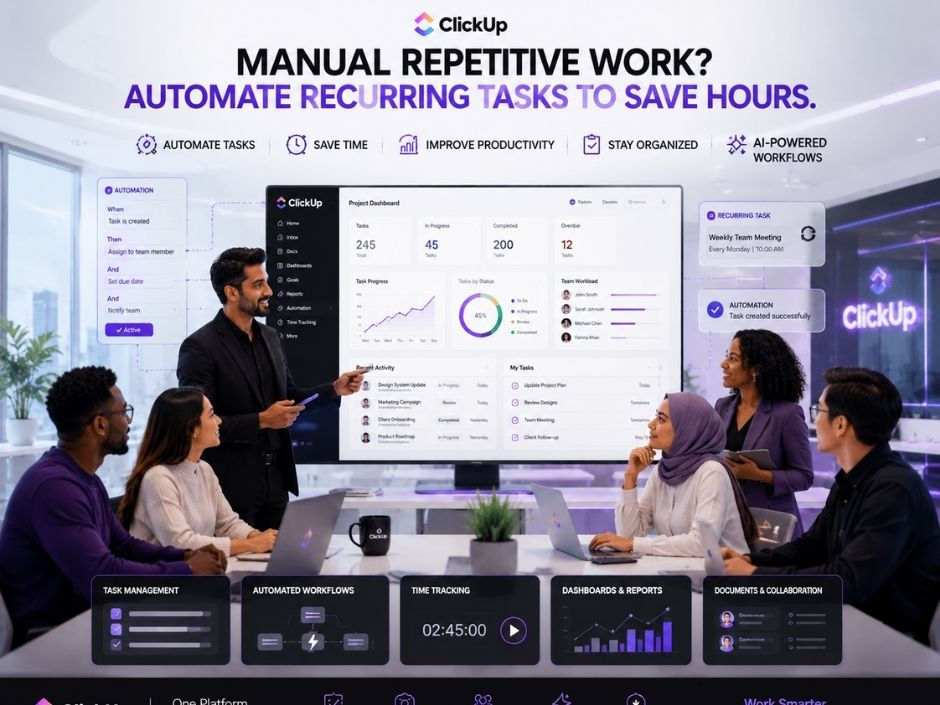
3. ClickUp Automations
What It Is
Automations are simple "when this happens, do that" rules. You set them up once, and ClickUp handles your recurring tasks for you every single time.
How It Helps With Reimbursements
This is where the real speed comes from. When a new claim is submitted, ClickUp can assign it to the right manager automatically. If the amount is above a certain limit, it can add a senior approver. When the manager approves, it can move the claim to Finance Review and notify the finance team. When finance marks it as Paid, it can notify the employee. And if a claim sits too long without action, a due date reminder can nudge the approver. Nobody has to remember. The system remembers for you.

My Tip
Start with three automations only: auto assign the approver, notify finance on approval, and notify the employee when paid. Add more rules once your team is comfortable.
4. ClickUp Brain (AI)
What It Is
ClickUp Brain is the AI built into ClickUp, and the heart of AI project management in your workspace. It understands your tasks, docs, and comments, so you can ask questions in plain language and get useful answers from your real workspace data.
How It Helps With Reimbursements
You can ask Brain, "Which reimbursement claims are pending for more than five days?" or "Summarize this month's travel expenses," and it gives you a clear answer in seconds. It can write your weekly reimbursement update for leadership, summarize long comment threads on a disputed claim, and help you draft a clear expense policy in centralized docs for your team. You can even use AI fields to auto summarize each claim or suggest a category based on the description. For a busy manager, this turns a pile of requests into a clear, short list of what needs action.

My Tip
Every Friday, ask Brain for a quick summary of all open and overdue claims. Share it with your managers. It takes two minutes and keeps the whole process moving.
5. ClickUp Dashboards
What It Is
ClickUp Dashboards are custom real-time dashboards where you add cards like charts, calculations, and task lists. Each card pulls live data from your reimbursement tasks and updates instantly.
How It Helps With Reimbursements
You can build a "Reimbursement Overview" dashboard that shows total claims this month, amount pending approval, amount paid, spend by category, and a list of claims waiting the longest. Finance gets a clear payment queue. Leaders see spending patterns at a glance. Managers can spot where approvals are getting stuck. Everyone looks at the same truth.

My Tip
Add a card that shows claims older than seven days. Make it the first thing your finance lead sees every morning. What gets seen, gets done.
If you want to learn more about ClickUp and Delayed Reimbursements you can connect with ME on LinkedIn.
How ClickUp Compares With Other Tools
I always want you to know your options, because every team is different. Expensify is very good at scanning receipts and handling expense reports, but it focuses mainly on expenses, so your approvals live apart from the rest of your team's work. SAP Concur is powerful for large enterprises with complex travel and expense policies, but it can be costly and feels heavy for small and mid sized teams. Zoho Expense is affordable and works well if you already use other Zoho apps, though it is less flexible for wider project work. Ramp combines corporate cards with expense tracking, which is great for card based spending, but it is built around its own finance products. General work tools like Asana and Monday.com can handle simple approval flows, but they need extra setup and often higher plans for strong automations and reporting.
ClickUp brings the best of all these together in one place: forms, custom fields, automations, dashboards, docs, chat, and built in AI, all connected to the rest of your team's work, and ClickUp pricing fits growing teams. That is why, after every comparison, it is my top recommendation.
Here is the full Comparison of ClickUp with other tools.
A Simple Way to Get Started in ClickUp
If you want to fix delayed reimbursements this week, here is a quick plan:
Create a List called Reimbursements, or start from ready made ClickUp templates.
Add Custom Fields for Amount, Category, Project, Approver, and Payment Date.
Set statuses: Submitted, Manager Review, Finance Review, Approved, Paid, Rejected.
Build a Reimbursement Request Form and share the link with your team.
Add three Automations for assigning approvers, notifying finance, and notifying employees.
Build a Dashboard showing pending amounts, paid amounts, and oldest claims.
Ask ClickUp Brain for a weekly summary every Friday.
You can set this up in one afternoon. Your team will feel the difference from the very next claim.
Conclusion
Delayed reimbursements look like a small problem, but they quietly damage trust, waste finance time, and slow down your whole team. I learned this the hard way, with one receipt and six weeks of waiting. I never want any of my team members to feel that way again.
The fix is not more emails or more reminders from tired employees. The fix is a clear, automated approval flow that moves every claim to the right person at the right time. Automation keeps things moving. AI makes every step smarter by reading receipts, flagging problems, and answering your questions in seconds.
There are many good tools out there, and each one has its strengths. But if you want everything in one place, from the first request to the final payment, with AI built in, I truly believe ClickUp is the best choice for most teams.
Start small. Build one form. Add three automations. Let AI handle the boring work. And the next time someone asks, "Where is my money?", the answer will already be on their screen.
Ready to stop chasing approvals and start paying people on time? Let's build a reimbursement flow your whole team will love.
👉 Book a free session with me and I'll help you set up ClickUp for faster, automated reimbursements.

Comments