Top Tools to Streamline Project Management

Managing projects today is not simple anymore. Teams are working remotely, deadlines are tighter, and expectations are higher than ever. You are not just managing tasks — you are managing people, communication, data, and performance all at once.
Many teams still struggle because they use too many tools or tools that don’t talk to each other. This creates confusion, delays, and missed opportunities. That’s where AI-powered project management tools come in.
These tools are not just helping teams stay organized — they are helping teams think smarter, plan better, and work faster. From automating repetitive tasks to predicting delays, AI is changing how projects are managed.
In this article, we will explore the top tools that streamline project management, how they work, and why ClickUp stands out as the most complete solution for modern teams.
Why You Need Effective Project Tools
Let’s face it - juggling multiple tasks and teams without a solid system is a recipe for chaos. Effective project tools help you:
Organize tasks clearly so nothing slips through the cracks.
Improve communication among team members.
Track progress in real-time to meet deadlines.
Allocate resources wisely to avoid burnout or downtime.
Generate reports that give insights into project health.
Imagine having a dashboard where you can see everything at a glance. That’s the power of the right tools. They don’t just save time; they boost productivity and help you deliver better results.
Top Effective Project Tools You Should Know

Here’s a list of some of the best tools that can help you streamline your project management process:
1. Trello
Trello uses a card and board system that’s perfect for visual thinkers. You can create boards for different projects, add cards for tasks, and move them through stages like “To Do,” “In Progress,” and “Done.” It’s simple, intuitive, and great for teams of all sizes.
Drag and drop cards easily.
Add checklists, due dates, and attachments.
Integrate with apps like Slack and Google Drive.
2. Asana
Asana is a powerhouse for task management and team collaboration. It offers timelines, calendars, and workload views to keep everyone aligned.
Assign tasks and set priorities.
Track project milestones.
Automate routine tasks with rules.
3. Monday.com
Monday.com is highly customizable and visually appealing. It’s perfect if you want to tailor your workflow exactly how you like it.
Use templates for different industries.
Visualize data with charts and graphs.
Collaborate with comments and file sharing.
4. Microsoft Project
For larger enterprises, Microsoft Project offers advanced project scheduling and resource management features. It’s robust and integrates well with other Microsoft tools.
Gantt charts for detailed planning.
Resource allocation and budgeting.
Reporting and analytics.
5. ClickUp
ClickUp combines task management, docs, goals, and chat in one platform. It’s an all-in-one solution that adapts to your needs.
Multiple views: list, board, calendar.
Goal tracking and time tracking.
Custom statuses and fields.
These tools are designed to help you stay on top of your projects without drowning in complexity. Pick one that fits your team’s style and watch your productivity soar.
Core Features of ClickUp
1. Task and Project Management
Create, assign, and track tasks easily
Use lists, boards, or timelines
Set priorities and deadlines

2. AI Assistant
Generates task descriptions
Writes updates and summaries
Helps with documentation

3. Dashboards
Visual view of project progress
Track team performance
Monitor KPIs

4. Docs and Knowledge Base
Store all information in one place
Share documents with team members
Collaborate in real time
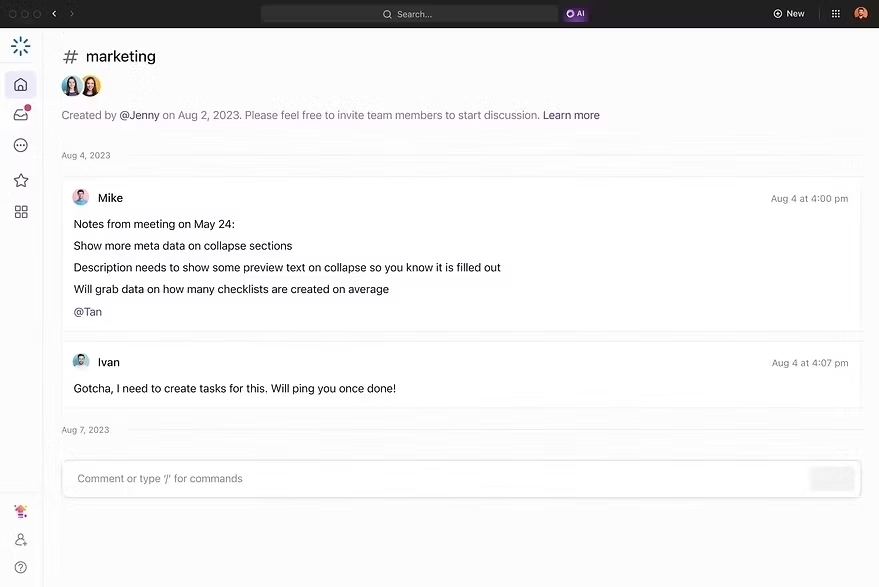
5. Automation
Auto-assign tasks
Send reminders
Update statuses automatically

If you want to learn more about ClickUp and AI-powered project management, you can connect with ME on LinkedIn.
Does Office 365 have a project management tool?
You might wonder if Office 365 offers a built-in solution for project management. The answer is yes. Microsoft has integrated several tools within Office 365 that can help manage projects effectively.
Microsoft Planner: A simple, visual task management app that works well for small to medium teams. It uses boards and cards similar to Trello.
Microsoft Teams: While primarily a communication tool, Teams supports project collaboration with channels, file sharing, and integration with Planner.
Project for the Web: A cloud-based project management app that offers scheduling, task tracking, and collaboration features.
These tools work seamlessly with other Office 365 apps like Outlook, SharePoint, and OneDrive, making it easier to keep everything connected. If your organization already uses Office 365, leveraging these tools can be a smart move.
Comparison with Other Tools
When comparing project management tools, most platforms focus on one or two areas. Some are strong in task management, while others focus on collaboration or reporting. This creates a situation where teams need multiple tools to manage everything.
ClickUp stands out because it brings everything together in one place. Instead of switching between apps, teams can manage tasks, communicate, track performance, and automate workflows in a single platform.
Tools like Asana, Trello, Monday, and Jira offer useful features, but they often require additional tools to match the flexibility and completeness of ClickUp.
ClickUp’s AI capabilities also give it an advantage by automating tasks, generating insights, and improving productivity without extra effort.
👉 In simple words:
Other tools solve parts of the problem
ClickUp solves the whole problem
Here's the full Comparison of ClickUp with other tools.
How to Choose the Right Tool for Your Business
Choosing the right tool isn’t just about features. It’s about what fits your workflow, team size, and project complexity. Here’s how to decide:
Assess Your Needs
What kind of projects do you manage? Simple task lists or complex workflows? Do you need time tracking or budget management?
Consider Team Size and Structure
Some tools are better for small teams, others scale well for large enterprises.
Look for Integration
Does the tool work with your existing software? Integration saves time and reduces errors.
Test Usability
A tool that’s hard to use will slow you down. Try free trials and get feedback from your team.
Budget
Some tools are free or low-cost, others require a subscription. Balance cost with value.
Remember, the goal is to find a tool that helps you work smarter, not harder.
Boost Your Project Success with the Right Partner
While tools are essential, having the right support can make all the difference. That’s where a trusted partner comes in. If you want to supercharge your operations and productivity, consider working with experts who understand how to implement and optimize these tools.
For example, IT SARKAR offers tailored solutions that combine AI, cloud, and automation to streamline your workflows. They help businesses of all sizes adopt the best project management tool and strategies to stay ahead in the digital world.
Don’t just manage projects - master them with the right tools and support.
If you want a tool that grows with your team, reduces manual work, and helps you stay ahead, ClickUp is the right choice.


Comments