Tracking KPIs to Ensure Project Success

Updated: Dec 20, 2025
Every project starts with hope. The team is motivated, deadlines look realistic, and goals seem clear. But somewhere between kickoff and delivery, many projects lose direction. Tasks pile up, timelines slip, and leaders start asking the same question: “Where did things go wrong?”
The answer is often simple — the right KPIs were not tracked in the right way.
In today’s fast-moving world, tracking KPIs is no longer about manual reports or monthly reviews. With AI-powered project management, KPIs become living signals that guide teams every day. They show progress, predict risks, and help leaders take action before problems grow.
This article explains how tracking KPIs ensures project success, how AI changes KPI tracking, and why ClickUp stands out as the preferred tool for modern project teams.
What Are KPIs in Project Management?
KPIs, or Key Performance Indicators, are measurable values that show how effectively a project is achieving its objectives.
These indicators help teams and organizations:
Set Clear Goals: KPIs define success in measurable terms.
Monitor Progress: They track whether the project is on track, ahead, or lagging.
Evaluate Outcomes: KPIs offer concrete data to assess the project’s overall impact.
For example, in a marketing campaign, KPIs might include metrics like lead generation, customer engagement, and return on investment (ROI).
Why Are KPIs Important for Project Success?
Tracking KPIs ensures projects stay aligned with business goals and helps identify potential issues early.
Here are key reasons why KPIs are critical:
Clarity and Focus: KPIs provide a clear roadmap, ensuring the team understands what success looks like.
Accountability: Assigning KPIs to specific team members fosters ownership and responsibility.
Informed Decision-Making: Real-time KPI tracking helps leaders make data-driven decisions.
Improved Efficiency: By analyzing performance data, teams can optimize processes and eliminate bottlenecks.
Enhanced Communication: KPIs create a common language for all stakeholders, ensuring alignment.
The Role of AI in KPI Tracking
From Manual Tracking to Smart Insights
Traditional KPI tracking depended on spreadsheets and reports. AI changes this completely.
AI systems:
Collect data automatically
Detect trends humans may miss
Predict risks before they happen
Recommend improvements
Instead of reacting late, teams act early.
How AI Improves KPI Accuracy
AI reduces human error and bias. It continuously learns from project data, making KPI insights more reliable. This allows managers to trust the numbers and focus on strategy instead of calculations.
Steps to Define and Track KPIs
Tracking KPIs only works when the right KPIs are chosen and monitored correctly. Many projects fail not because teams don’t work hard, but because they track the wrong numbers or track them too late. Defining KPIs is a structured process, not a guess. With AI-powered project management tools, this process becomes clearer, faster, and more accurate. These steps help teams move from confusion to clarity and ensure KPIs truly support project success.

Step 1: Clearly Define Project Goals
Every KPI must connect directly to a project goal. Without a clear goal, KPIs become meaningless numbers.
Start by asking simple questions:
What does success look like for this project?
Is the goal focused on time, cost, quality, or impact?
AI tools help by analyzing past projects and suggesting goal-aligned KPIs based on similar work. This reduces guesswork and improves alignment from the beginning.
Step 2: Identify the Most Important Metrics
Not all metrics are KPIs. KPIs are the few metrics that truly matter. Choose indicators that directly reflect progress and outcomes.Examples include delivery speed, budget health, or quality stability.
AI assists by filtering large data sets and highlighting metrics that have the strongest impact on success. This helps teams avoid tracking too many indicators at once.
Step 3: Assign Ownership to Each KPI
Every KPI needs a clear owner. When responsibility is unclear, KPIs are ignored. Assign a person or role to monitor each KPI and take action when values change.
AI-powered systems automatically notify owners when KPIs move outside expected ranges. This ensures accountability without constant manual checks.
Step 4: Set Clear Benchmarks and Targets
KPIs need targets to be useful. A KPI without a benchmark does not show success or failure. Define acceptable ranges and performance thresholds early.
AI tools analyze historical data and recommend realistic benchmarks. This prevents setting targets that are either too easy or impossible to achieve.
Step 5: Use Real-Time Tracking Tools
KPIs should be tracked continuously, not reviewed only at the end. Real-time dashboards provide instant visibility into project health.
AI-powered dashboards update automatically and highlight risks as they emerge. This allows teams to act early instead of reacting late.
Step 6: Review KPIs Regularly and Adjust
Projects change, and KPIs must adapt. Regular reviews help teams understand what is working and what needs improvement.
AI generates summaries of KPI performance and suggests adjustments based on trends. This makes reviews faster and more insightful.
Step 7: Turn KPI Insights into Action
KPIs are valuable only when they lead to action. Use insights to reassign tasks, adjust timelines, or improve workflows.
AI supports decision-making by recommending next steps based on KPI patterns. This closes the gap between data and results.
Step 8: Automate Reporting and Communication
Manual KPI reporting wastes time and increases errors. Automation ensures consistent and accurate updates.
AI tools automatically generate reports, summaries, and alerts for stakeholders. This keeps everyone aligned without extra effort.
Common Types of KPIs in Project Management
1. Performance KPIs
Measure how efficiently resources are utilized. Examples include:
Task completion rates
Resource utilization
2. Financial KPIs
Track the financial health of the project. Examples include:
Budget variance
ROI
3. Timeliness KPIs
Assess if the project is on schedule. Examples include:
Milestone achievement
On-time delivery rate
4. Quality KPIs
Evaluate the project’s outcomes. Examples include:
Error rates
Customer satisfaction scores

ClickUp: A Powerful Tool for Tracking KPIs
ClickUp is a versatile project management platform that simplifies KPI tracking and ensures project success.

Here’s how ClickUp can help you:
1. Centralized Dashboard
ClickUp offers a customizable dashboard where teams can track KPIs in real-time. You can visualize progress with charts, graphs, and widgets.

2. Task and Goal Management
Set and track goals for the entire team or specific members.
Use ClickUp’s "Goals" feature to link tasks directly to KPIs, ensuring alignment.

3. Collaboration Features
ClickUp enables seamless collaboration:
Assign tasks with deadlines.
Use comments and mentions to keep communication transparent.
Share updates across teams.

4. Reporting and Insights
Generate detailed reports to analyze KPI trends. With ClickUp’s reporting tools, you can:
Identify performance gaps.
Forecast future outcomes.
Share data with stakeholders.

5. Integration Capabilities
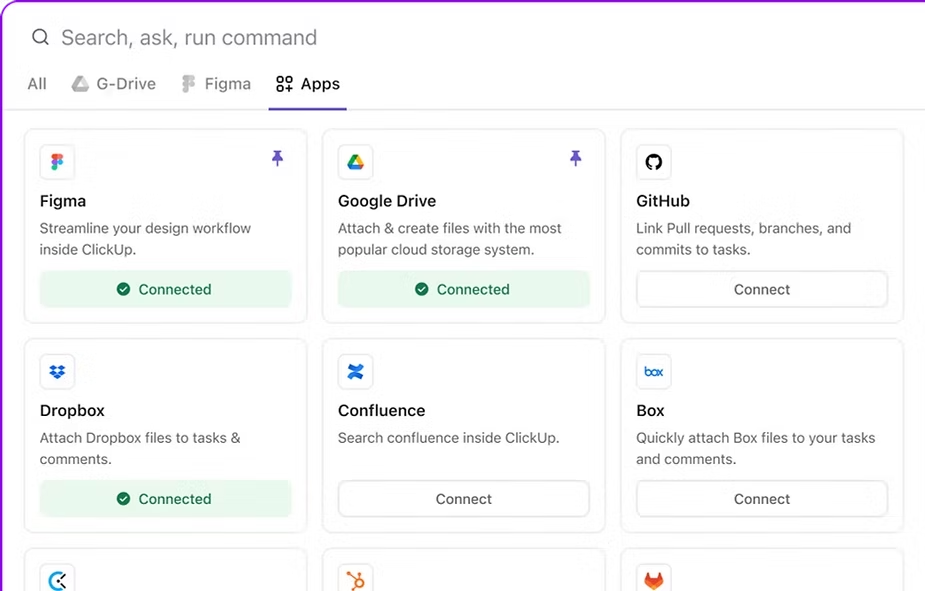
ClickUp nwith other tools like Google Sheets and Slack, making it easier to centralize KPI data.
If you want to learn more about ClickUp and AI-powered project management, you can connect with Yasir Ali Warraich on LinkedIn.
Comparison with Other Project Management Tools
Many project management tools offer KPI tracking, but they often focus on one area only. Some tools specialize in task tracking, while others focus on reporting.
ClickUp stands out because it combines task management, goal tracking, dashboards, and AI insights in one system. Instead of switching between tools, teams track KPIs from planning to delivery in a single workspace.
Other tools may offer analytics, but ClickUp’s AI-driven insights provide deeper understanding and faster action. This makes ClickUp the preferred choice for teams that want clarity, speed, and control.
Here's the full Comparison of ClickUp with other tools.
Best Practices for Tracking KPIs
Keep KPIs Simple: Avoid overcomplicating metrics. Focus on a few that truly matter.
Involve Your Team: Engage team members in defining and monitoring KPIs.
Leverage Automation: Use tools like ClickUp to automate repetitive tasks.
Review Regularly: Schedule periodic reviews to assess progress and adapt strategies.
Communicate Effectively: Share KPI updates with stakeholders to maintain transparency.
How to Build a Project Roadmap for Strategic Success
Future of KPI Tracking in Project Management
AI will continue to transform KPI tracking.
Future systems will:
Predict project success with higher accuracy
Recommend real-time actions
Personalize KPIs for different roles
Project managers will spend less time tracking and more time leading.
Conclusion
Project success is not about working harder. It’s about working smarter. KPIs provide direction, focus, and control. When combined with AI, KPIs become powerful tools that guide teams toward success.
ClickUp offers a complete AI-powered solution for tracking KPIs across teams, projects, and organizations. It simplifies complexity and turns data into clear action.
If you want better visibility, stronger decisions, and consistent project success, KPI tracking with AI is no longer optional — it’s essential.
You're just one conversation away from your next breakthrough. Book your free consultation now.


Comments