Advantages of AI in Project Workflows

Think about how projects were managed a few years ago. Long meetings, endless spreadsheets, missed deadlines, and constant follow-ups. Teams worked hard, but not always smart. Today, things are changing fast. Artificial Intelligence (AI) is transforming how projects are planned, executed, and delivered.
AI is not just a trend. It is becoming a core part of modern workflows. It helps teams save time, reduce errors, and make better decisions. Instead of guessing what might go wrong, AI gives insights before problems happen. Instead of spending hours on repetitive tasks, AI automates them in seconds.
This is where tools like ClickUp come in. They combine project management with AI to create smarter workflows. In this article, we will explore the advantages of AI in project workflows, how it improves different areas, and why ClickUp stands out as the preferred solution.
Why Embrace AI-Powered Project Workflows?
AI-powered project workflows are not just a tech trend; they’re a revolution in how work gets done. Imagine automating repetitive tasks, predicting project risks before they happen, and optimizing resource allocation with precision. That’s the power of AI in action.
Here’s what makes AI-powered workflows stand out:
Speed and efficiency: AI tools can process data and perform tasks faster than any human team member.
Accuracy: They reduce human error by automating routine checks and balances.
Predictive insights: AI analyzes past project data to forecast potential delays or budget overruns.
Resource optimization: It helps allocate the right people and tools to the right tasks at the right time.
Improved collaboration: AI-powered platforms often include smart communication tools that keep everyone on the same page.
By integrating AI into your project workflows, you’re not just keeping up with technology—you’re setting your business up for success.

How is AI being used in Project Management?
AI’s role in project management is expanding rapidly. From planning to execution and monitoring, AI tools are embedded in every phase of the project lifecycle.
Here are some practical examples:
Task automation: AI bots handle routine tasks like scheduling meetings, sending reminders, and updating project statuses.
Risk management: AI algorithms analyze project data to identify risks early, allowing teams to take proactive measures.
Resource management: AI predicts workload and suggests optimal resource distribution to avoid burnout and maximize productivity.
Data-driven decision making: AI provides real-time analytics and dashboards that help managers make informed decisions quickly.
Natural language processing (NLP): AI-powered chatbots and assistants help answer team queries and provide instant support.
These applications not only save time but also improve the quality of project outcomes. The ability to anticipate problems and adjust plans dynamically is a huge advantage.

Real-world Benefits of AI in Project Workflows
Let’s get specific.
What tangible benefits can businesses expect when they adopt AI-powered project workflows?
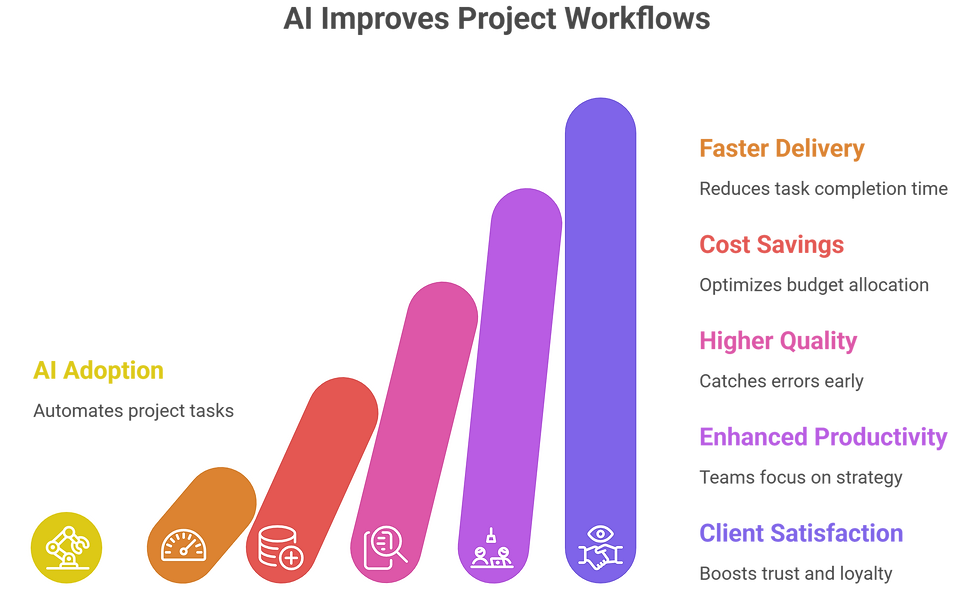
Faster project delivery: Automation speeds up task completion and reduces bottlenecks.
Cost savings: Predictive analytics help avoid costly overruns and optimize budget allocation.
Higher quality output: AI-driven quality checks catch errors early, ensuring better deliverables.
Enhanced team productivity: By offloading mundane tasks, teams focus on creative and strategic work.
Better client satisfaction: Projects finish on time and within budget, boosting client trust and loyalty.
For example, a software development company using AI to manage sprints can automatically adjust timelines based on team performance and bug reports. This flexibility leads to smoother releases and happier clients.
How to Implement AI in your Project Workflows
Ready to jump in?
Adopting AI in project workflows does not mean changing everything overnight.
The best approach is to start step by step, focus on real problems, and gradually build smarter systems. Below is a simple and practical way to implement AI in your projects.

1. Identify Pain Points
Start by understanding where your current workflow is slowing down. Every team has weak areas—these could be repetitive tasks, delays in approvals, or poor communication between team members.
For example:
Are you spending too much time updating task statuses?
Do deadlines often get missed?
Are team members confused about priorities?
These are the areas where AI can help the most. Instead of applying AI everywhere, focus on the biggest problems first. This ensures faster results and better adoption.
2. Choose the Right Tools
Once you know your problems, the next step is choosing the right AI-powered tool. Not every tool is suitable for every team. You need something that matches your workflow, team size, and goals.
A good AI project management tool should:
Automate repetitive tasks
Provide real-time insights
Support collaboration
Be easy to use
Tools like ClickUp are designed to handle multiple functions in one place, which makes integration easier. The goal is to reduce complexity, not increase it.
3. Train Your Team
Even the best tools will not work if your team does not know how to use them. Training is a key step in AI adoption.
Make sure your team understands:
How AI features work
When to use automation
How to interpret AI insights
How AI supports their daily tasks
Keep training simple and practical. Show real examples instead of just theory. When people see how AI makes their work easier, they are more likely to adopt it.
4. Start Small
One of the biggest mistakes companies make is trying to implement AI everywhere at once. This often leads to confusion and resistance.
Instead, start with a small pilot project. For example:
Automate task assignments in one team
Use AI reporting for a single project
Apply AI scheduling for a specific workflow
This allows you to test how AI works in real conditions. It also helps your team build confidence before scaling.
5. Measure the Impact
After implementing AI, it’s important to track results. Without measurement, you won’t know if AI is actually helping.
Focus on key performance indicators such as:
Time saved on tasks
Reduction in delays
Improved team productivity
Better communication
Cost savings
AI tools often provide dashboards that make it easy to track these metrics. Use this data to understand what’s working and what needs improvement.
6. Iterate and Improve
AI implementation is not a one-time process. It’s something you continuously improve. Once you see positive results, you can expand AI into other workflows.
Steps to improve:
Collect feedback from your team
Identify new areas for automation
Adjust workflows based on insights
Add more AI features gradually
Over time, your workflows become smarter, faster, and more efficient.
Remember, AI is a tool to augment human effort, not replace it. The best results come from combining AI’s power with your team’s creativity and expertise.

ClickUp: The AI-Powered Project Management Solution
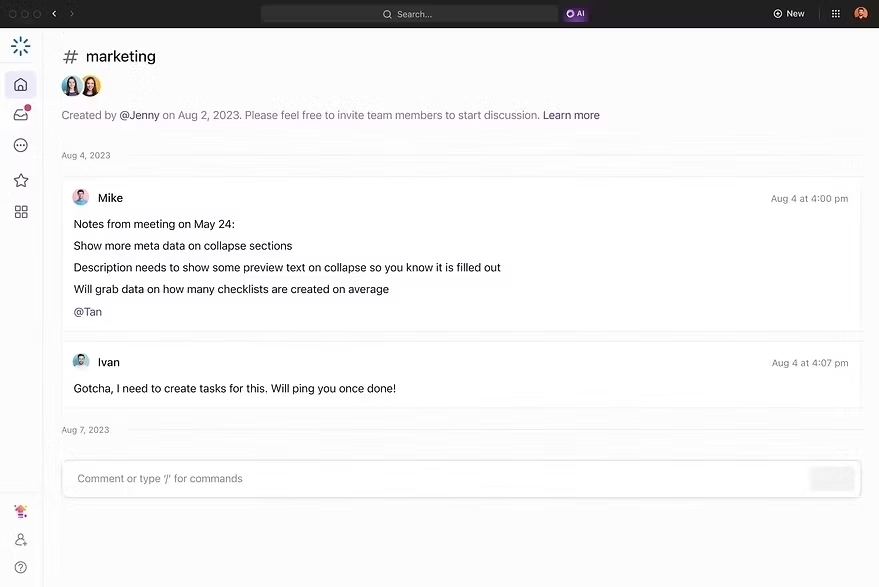
ClickUp is not just a project management tool—it is a complete work solution. It combines tasks, communication, reporting, and automation in one place. With AI integration, ClickUp becomes even more powerful.
Key Features of ClickUp
1. Task Management
Create, assign, and track tasks easily
AI suggests priorities and deadlines

2. AI Writing Assistant
Generate reports, emails, and summaries
Save time on documentation

3. Automation
Automate repetitive workflows
Reduce manual work

4. Dashboards
Visualize project progress
Track performance in real time

5. Collaboration Tools
Chat, comments, and document sharing
Keep everything in one place
If you want to learn more about ClickUp and AI-powered project management, you can connect with ME on LinkedIn.
Comparison with Other Tools
There are many project management tools available in the market today. Some focus on task management, others specialize in communication, while some are built for specific industries. This means teams often have to use multiple tools at the same time, which creates confusion and extra cost.
Tools like Asana, Trello, and Monday.com offer strong features in specific areas. However, they often require integrations or additional tools to match the full functionality that ClickUp provides in one place.
ClickUp stands out because it combines everything—task management, CRM, reporting, collaboration, and AI—into a single platform. Its AI features are deeply integrated, helping users automate tasks, generate insights, and improve workflows without switching between tools.
Here's the full Comparison of ClickUp with other tools.
The Future of Project Workflows with AI
The future is bright for AI-powered project workflows. As AI technology evolves, expect even more sophisticated features like:
Advanced predictive analytics that can simulate multiple project scenarios.
AI-driven decision support systems that offer recommendations based on vast datasets.
Seamless integration with other business systems like CRM, ERP, and cloud platforms.
Enhanced collaboration tools powered by AI to foster creativity and innovation.
Businesses that adopt AI early will gain a competitive edge. They’ll be more agile, responsive, and capable of handling complex projects with ease.
Conclusion
AI is changing how projects are managed. It removes manual work, improves decision-making, and helps teams work smarter. From automation to real-time insights, AI brings speed, accuracy, and efficiency to every workflow.
ClickUp takes these advantages even further by combining AI with an all-in-one platform. It helps teams manage everything—from tasks to communication—without switching tools.
For businesses that want to improve productivity, reduce stress, and stay competitive, adopting AI-powered tools is no longer optional—it’s necessary. And when it comes to choosing the right tool, ClickUp stands out as the best option for modern project management.
If you want to explore how AI can transform your project management, check out this resource on ai in project management. It’s packed with insights and practical advice to get you started.


Comments